
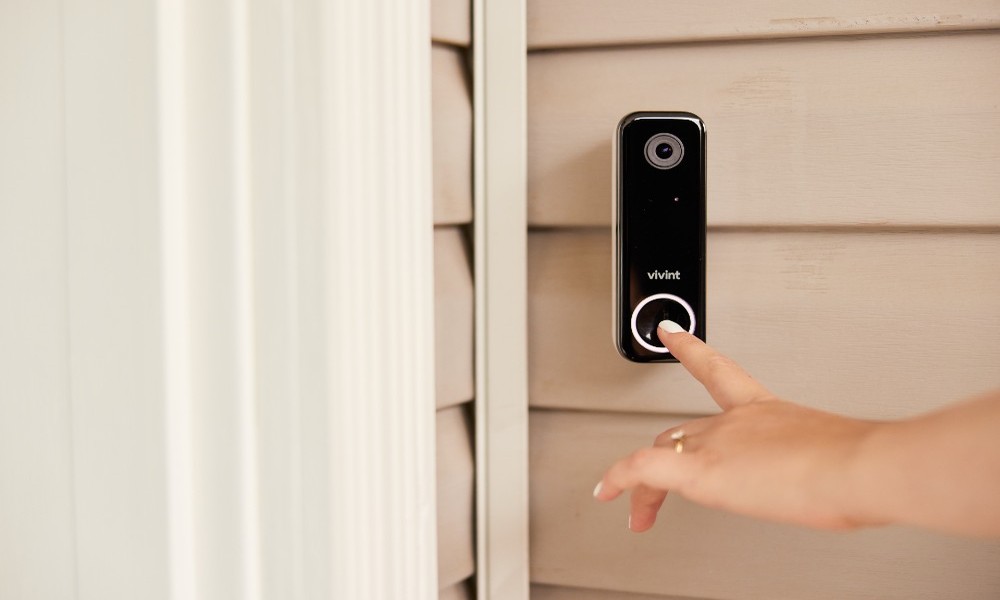
If you’ve been searching for smart doorbell installation near me, you’re not alone. Homeowners across Austin are upgrading to video doorbells for added security, convenience, and peace of mind. But what many people don’t realize is that installing a smart doorbell isn’t always as simple as swapping out an old button. There are electrical requirements, voltage considerations, Wi-Fi limitations, and sometimes even transformer upgrades involved.
In this guide, we’re going to break it all down in a way that actually makes sense-no fluff, no overcomplicated jargon-just practical insight from an electrician’s perspective.
Why Smart Doorbells Are So Popular in Austin, Texas
Between package deliveries, home security concerns, and the convenience of answering your door from anywhere, it’s easy to see why devices like the Ring Video Doorbell and Google Nest Doorbell are everywhere right now.
Austin, Texas homeowners are especially drawn to these systems because:
- Many homes have front-facing entries visible from the street
- There’s a strong tech-forward culture
- Property owners want better visibility when they’re away
But the technology only works well if it’s installed correctly-and that’s where things can get tricky.
Understanding Doorbell Wiring: It’s Not Always Plug-and-Play
Traditional doorbells run on low-voltage wiring, typically between 8 and 16 volts AC. That’s fine for a simple chime, but modern smart doorbells usually require more consistent and higher voltage.
Here’s what you’re dealing with:
- Standard mechanical doorbells: 8-16V AC
- Most smart doorbells: 16-24V AC (some require a minimum amperage as well)
If your home was built more than 10-15 years ago, there’s a good chance your existing transformer is underpowered for a smart device.
Where Problems Start
A common mistake homeowners make is installing the device without checking voltage. The result?
- Doorbell won’t power on consistently
- Wi-Fi disconnects randomly
- Chime doesn’t work properly
- Battery drains quickly (even on “wired” models)
That’s usually not a defective unit-it’s an electrical issue.
When a Transformer Upgrade Is Required
Your doorbell transformer is the small component that steps down your home’s 120V power to low voltage for the doorbell circuit. It’s often located:
- In your attic
- Near your electrical panel
- In a garage or utility closet
Signs You Need an Upgrade
- Voltage reading below 16V
- Smart doorbell constantly losing power
- Existing chime buzzing or not functioning
- You’re installing a multi-camera or multi-device system
Most modern setups perform best with a 16V 30VA or 24V 40VA transformer.
Upgrading a transformer isn’t overly complicated for a professional, but it does involve working with line voltage (120V), which can be dangerous if you’re not experienced.
Wi-Fi Considerations Most People Overlook
Even if your wiring is perfect, your smart doorbell is only as reliable as your Wi-Fi signal.
Front doors are often:
- Far from the router
- Blocked by brick, stucco, or metal
- Exposed to interference from neighboring networks
What You Need for a Stable Connection
- Strong 2.4 GHz signal (most doorbells rely on this band)
- Minimum upload speed of 2 Mbps (per device)
- Router within 30-50 feet (ideally closer)
If your signal is weak, you may need:
- A Wi-Fi extender
- A mesh network system
- Router repositioning
Skipping this step is one of the biggest reasons people end up frustrated after installation.
Common Installation Mistakes (That Cost You Later)
When people search for smart doorbell installation near me, it’s often because something already went wrong. Here are the most common issues electricians see in Austin homes:
1. Using the Existing Transformer Without Testing
Just because your old doorbell worked doesn’t mean it’s compatible with a smart system.
2. Incorrect Wiring at the Chime
Many systems require a jumper wire or specific configuration at the indoor chime. Skipping this step can disable your system.
3. Mounting Without Considering Angle
If your doorbell is mounted flat against a wall that faces the street, you might get poor motion detection or constant false alerts.
4. Weak Wi-Fi Signal
This is huge. Even a perfectly wired doorbell won’t function properly with a weak connection.
5. Skipping Weatherproofing
Austin heat and occasional storms can damage poorly installed devices. Proper sealing matters more than people think.
DIY vs Hiring a Licensed Electrician in Austin, Texas
This is the big question.
Can a Handy Homeowner Install a Smart Doorbell?
Yes-with some conditions.
If you’re dealing with:
- A battery-powered unit
- No wiring involved
- Strong Wi-Fi signal
- No transformer upgrades needed
Then a DIY install is usually fine.
When You Should Call a Professional
You should strongly consider hiring a licensed electrician if:
- You need to replace or upgrade a transformer
- You’re unsure about voltage readings
- Your home has older or нестандарт wiring
- You want the system integrated with other smart devices
- You’ve already tried and something isn’t working
Electrical work in Texas is regulated for a reason. Working with line voltage incorrectly can lead to:
- Electrical shock
- Fire hazards
- Damaged equipment
A professional ensures everything is up to code and built to last.
Why Austin, Texas Homeowners Choose Professional Installation
When someone searches for smart doorbell installation near me, they’re usually looking for reliability-not just convenience.
A licensed electrician can:
- Test and verify voltage
- Upgrade transformers safely
- Ensure proper wiring at the chime and panel
- Optimize placement for camera angles
- Help improve Wi-Fi reliability
- Integrate with broader smart home systems
In a city like Austin, Texas, where homes range from older builds to new construction, having someone who understands local electrical systems makes a difference.
Real-World Example: What Happens When It’s Done Right
A homeowner in Austin, Texas recently upgraded to a smart doorbell system but kept experiencing power loss and connectivity issues. After inspection, the problems were clear:
- Transformer output was only 10V
- Wi-Fi signal at the front door was weak
- Chime wiring was incorrectly configured
Once the transformer was upgraded, the wiring corrected, and a Wi-Fi extender added, the system worked flawlessly.
No more missed alerts. No more random shutdowns. Just a reliable setup that does exactly what it’s supposed to.
Final Thoughts
Smart doorbells are one of the most practical upgrades you can make to your home-but only if they’re installed correctly.
If your setup is simple, a DIY approach might work. But once wiring, voltage, or transformer upgrades come into play, it’s worth bringing in a professional.
The next time you find yourself searching for smart doorbell installation near me, remember: the goal isn’t just to get it installed-it’s to get it installed right the first time.
And in a place like Austin, where heat, layout, and construction styles vary widely, that extra level of expertise can save you time, money, and frustration down the road.